Control
You decide what to enter, what to update, and what stays on your Mac.
 Finance LedgerFOR MAC
A Kernyard product
Your budgets, accounts, debts and goals. Finally together.
Meet the personal finance app that helps it all make sense.
YOUR FINANCIAL DATA STAYS ON YOUR MAC
Finance Ledger is designed without requiring a bank connection. It does not need access to your online banking credentials. Your financial records live locally on your Mac, so Kernyard cannot see the information you track. Privacy and local ownership are deliberate product choices—not missing features.
WHY LOCAL-FIRST?
Local storage keeps you in control: your records stay on your device, without a cloud account dependency or unnecessary third-party exposure.
You decide what to enter, what to update, and what stays on your Mac.
Your budgets, accounts and transactions are not sent to Kernyard to operate the app.
Use Finance Ledger without creating another cloud finance account to hold your data.
No bank feed means fewer third parties involved in how you organise your money picture.
MANUAL TRACKING
Finance Ledger is for people who prefer to enter account balances, budgets, debts, goals and transactions themselves. That keeps the picture intentional, understandable and free from automatic bank feeds or Open Banking connections.
WHO IT IS FOR
A calmer desktop place for people who want clarity and control—not another service watching their bank.
A CLOSER LOOK
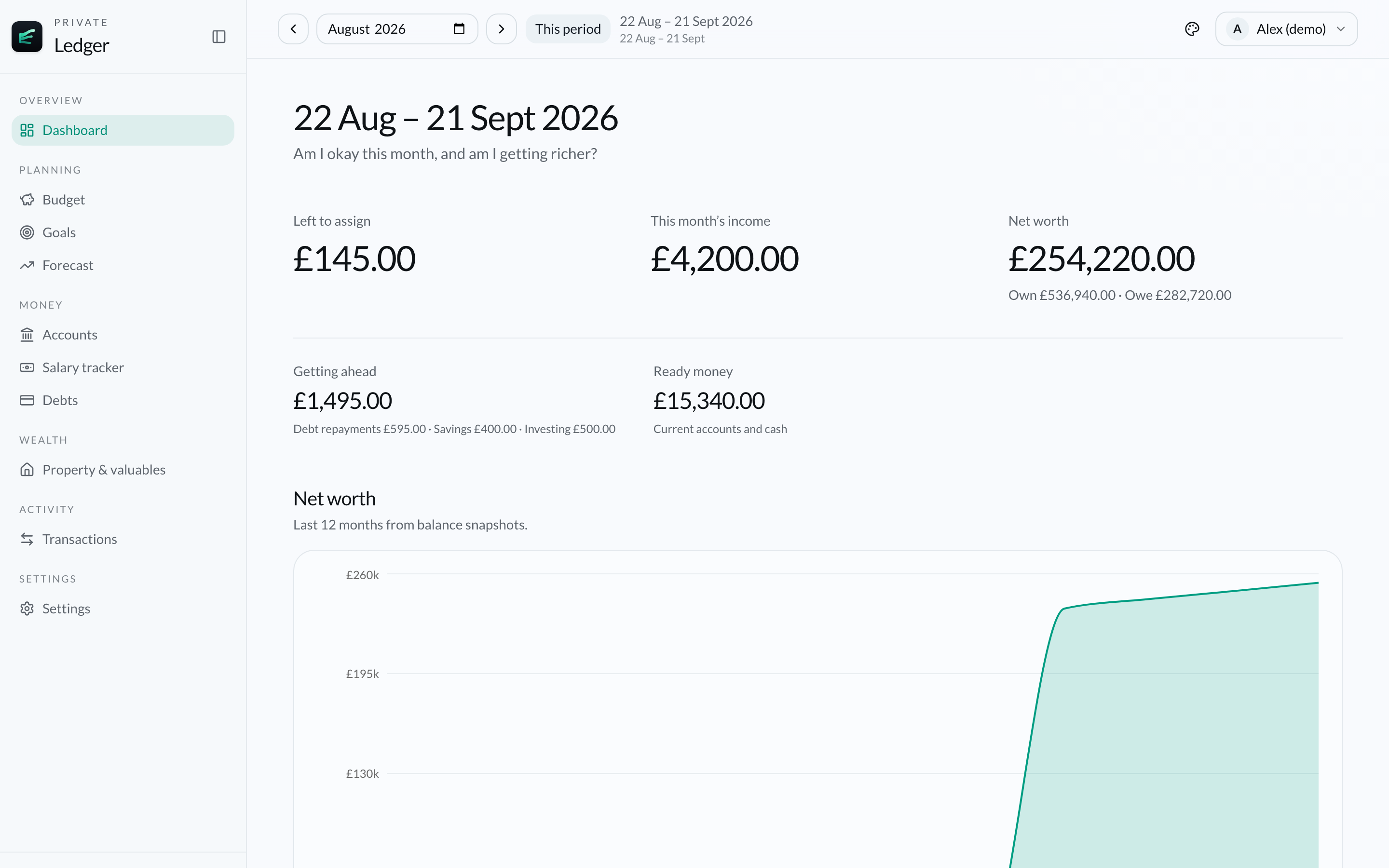
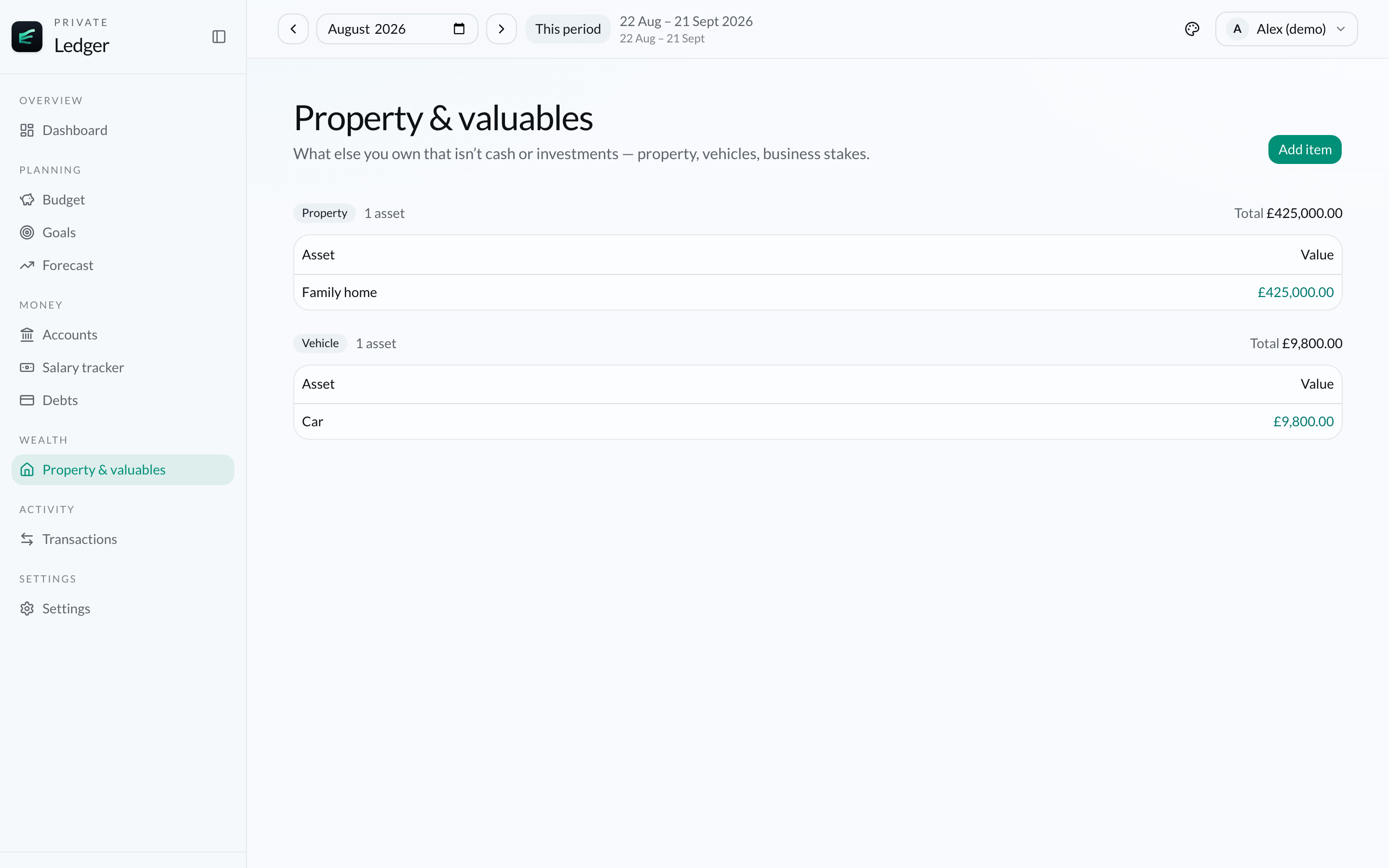
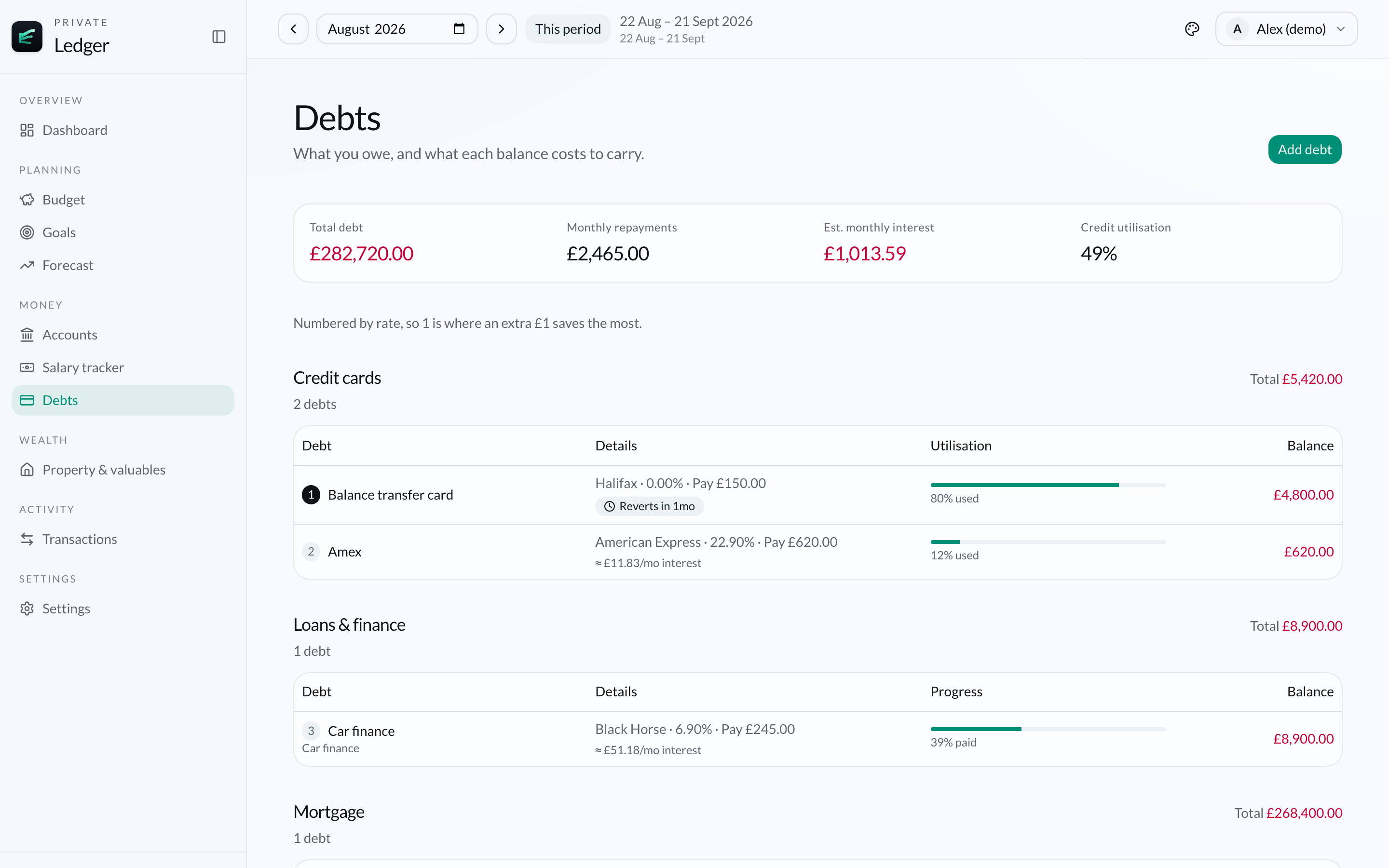
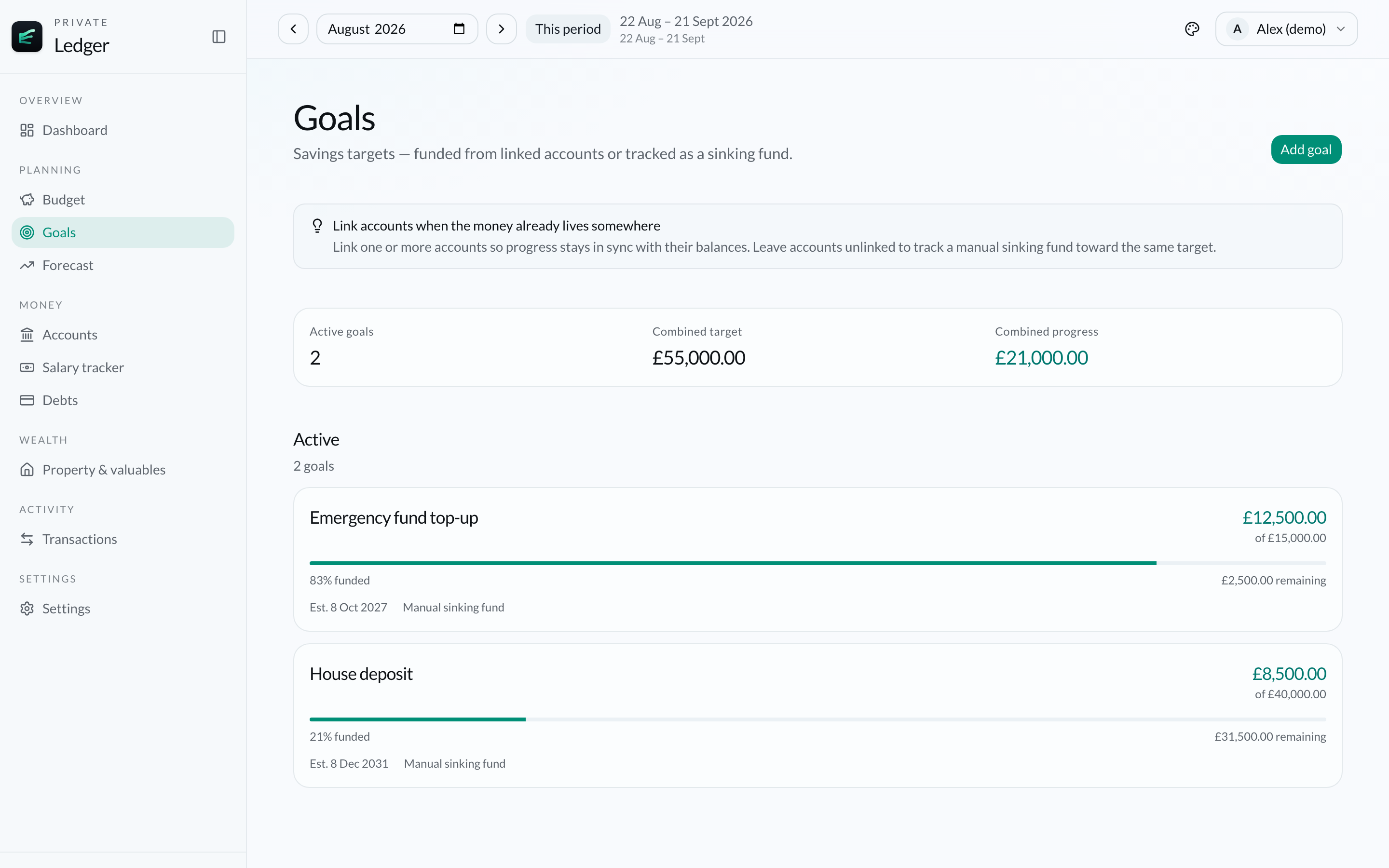
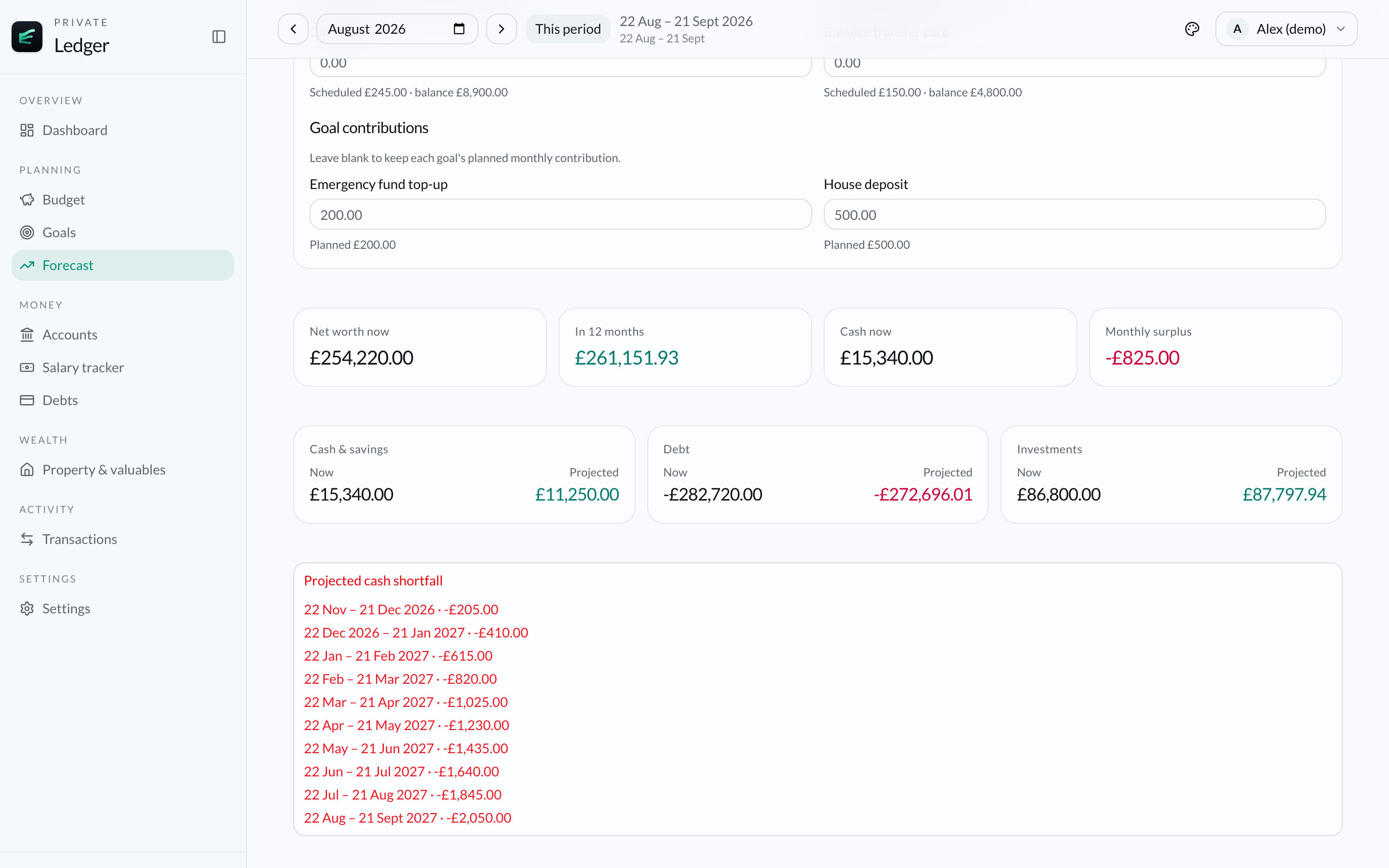
Large views of the real app — budgets, accounts, debts, goals and more.
FOLLOW THE MONEY
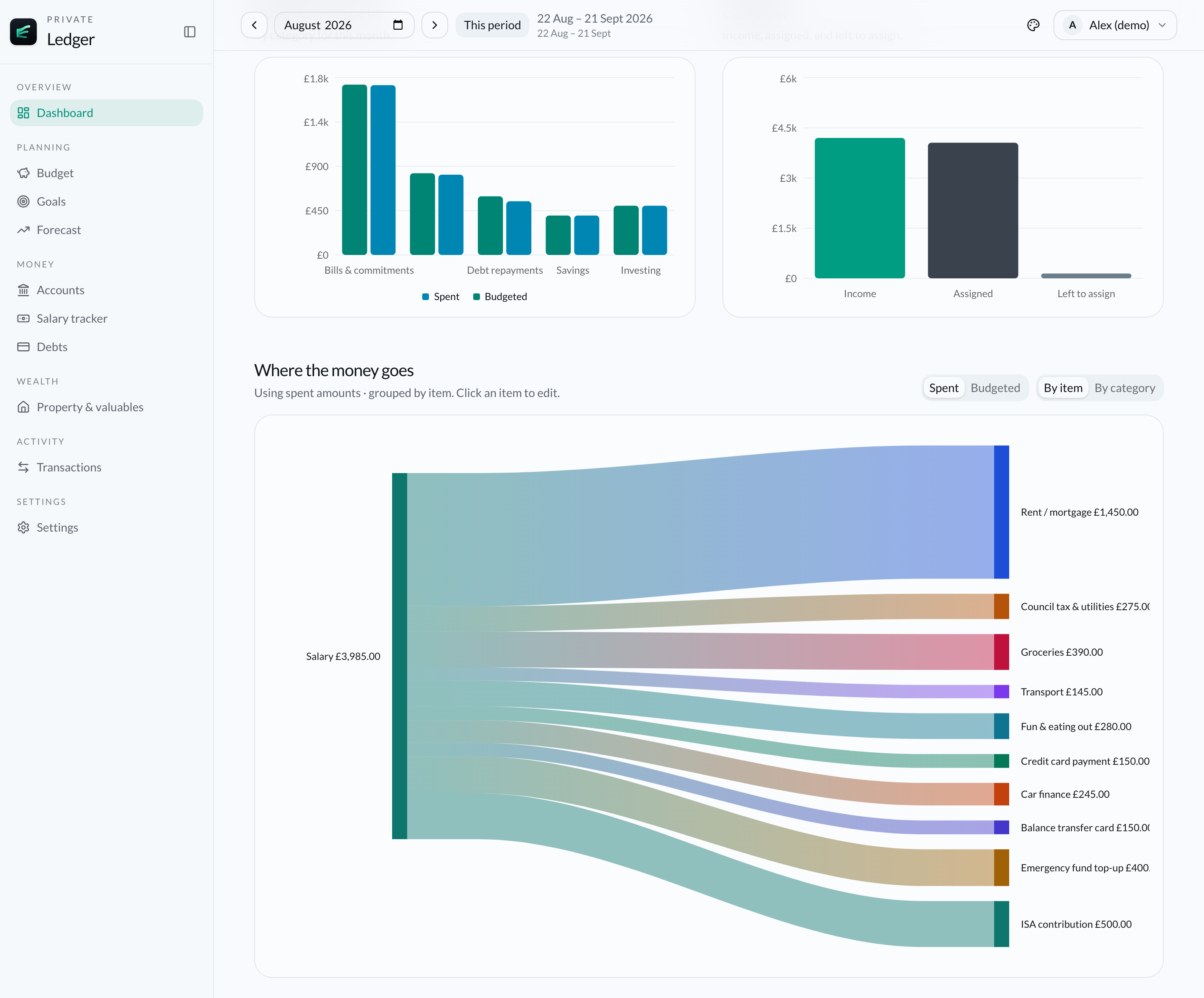
Watch income flow into essentials, lifestyle spending, debt repayments, savings and investments. A clear cashflow view makes the connections easy to follow—no technical jargon required.
LESS GUESSWORK. MORE CLARITY.
From this month’s spending to the bigger picture, Finance Ledger keeps the numbers connected.
PLAN YOUR MONTH
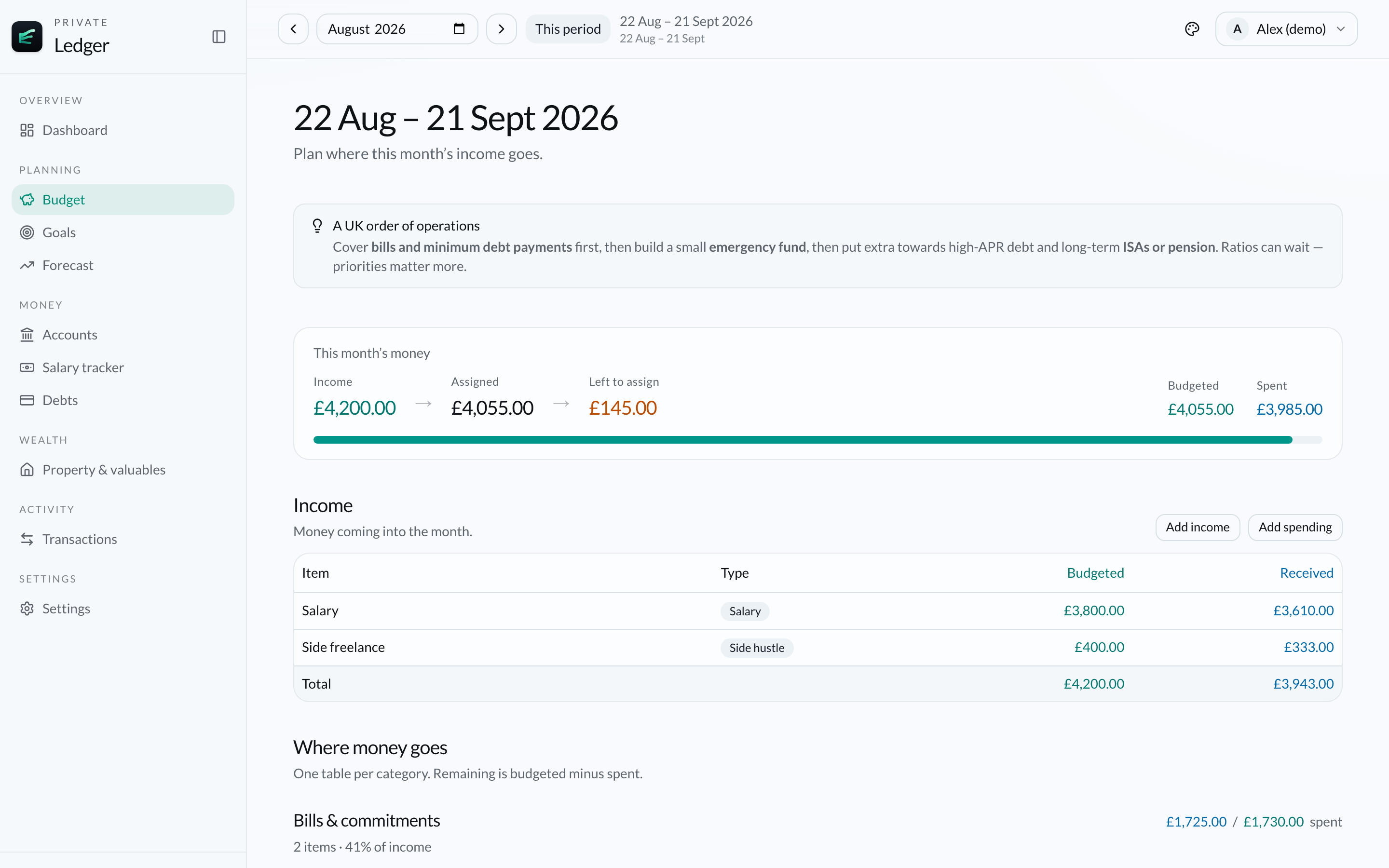
Plan your month, compare your budget with actual spending, and see what is left to assign.
SEE THE FULL PICTURE
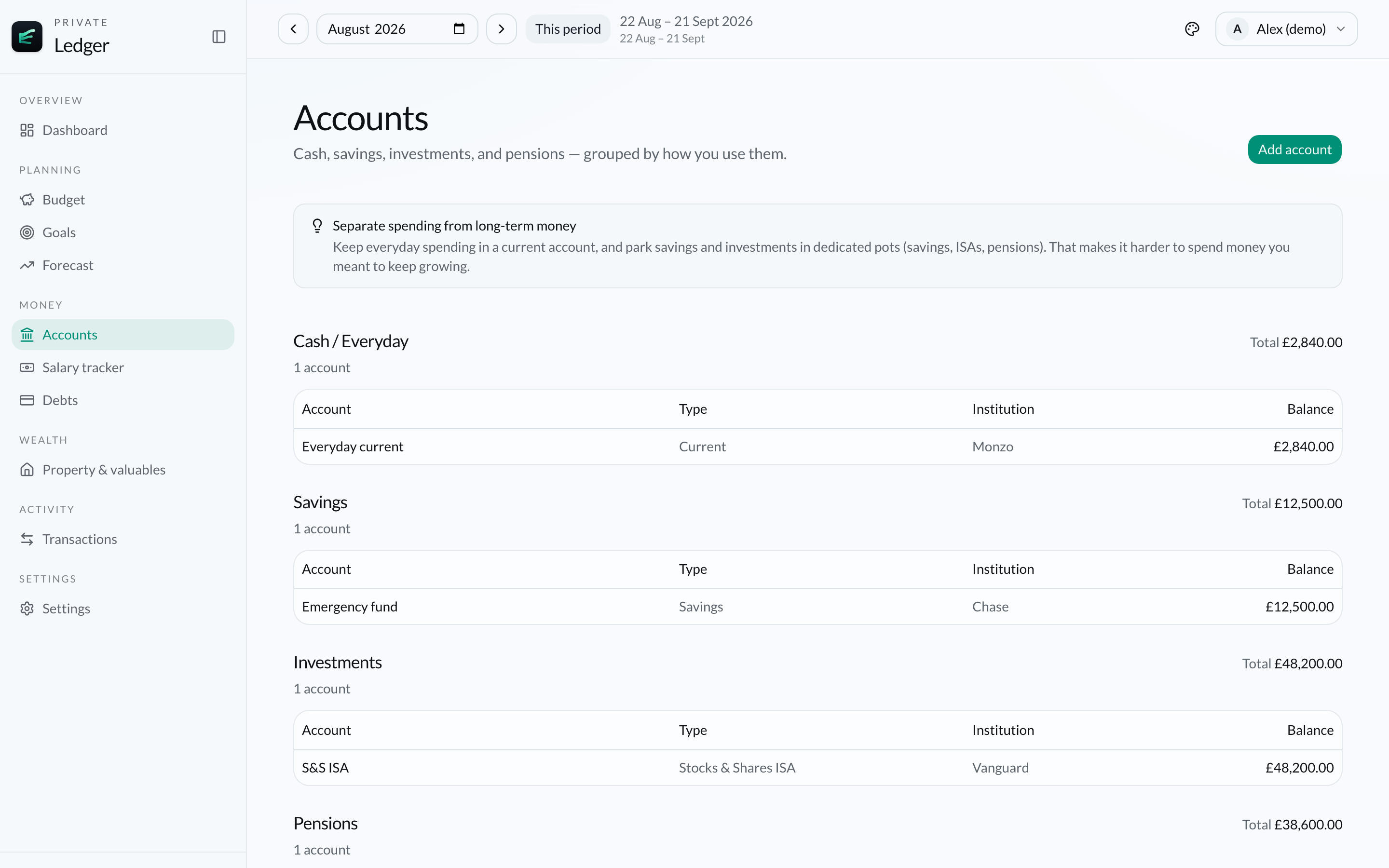
Bring current accounts, savings, property and debts into one view so you know where you stand.
TRACK WHAT YOU OWE
Track what you owe alongside what you are building, so repayments do not sit in a separate mental spreadsheet.
BUILD TOWARDS GOALS
Set savings goals and explore forecasts grounded in the numbers you already track.
UNDERSTAND YOUR CASHFLOW
See how income turns into essentials, lifestyle spending, debt repayments, savings and investments.
PRODUCT PHILOSOPHY
Finance Ledger is designed for people who want clarity, planning, visibility and control. You remain in charge of the information you enter. The app organises the picture; it does not take over your finances.
A SIMPLE COMPARISON
A few deliberate choices that shape the product—without naming competitors.
| Bank connection | Not required |
|---|---|
| Financial records | Stored locally on your Mac |
| Manual control | Yes |
| Platform | Mac desktop |
| Household overview | Supported |
QUESTIONS
No. Finance Ledger is designed without a bank connection. You enter and update your own financial information, so you never need to share online banking credentials with the app.
Your financial records are stored locally on your Mac. Finance Ledger is built so your money picture lives on your device, not in a Kernyard cloud account.
No. Because your financial records stay on your Mac, Kernyard cannot see the budgets, accounts, debts, goals or transactions you track in Finance Ledger.
You do not need an internet connection to use Finance Ledger for day-to-day tracking on your Mac. Details about any optional online features at launch will be confirmed before release.
No. Finance Ledger is a one-time purchase for Mac. You pay once and download the app. Future updates we make available are included at no extra charge.
Finance Ledger is a downloadable digital product and cannot be returned once purchase and download access are provided, so sales are final. See finance-ledger.kernyard.com/refunds for fulfilment help if payment or download fails.
Finance Ledger for Mac supports Apple Silicon Macs. System details are listed with the download.
Yes. Finance Ledger is designed to help you see individual and household finances together, so you can keep shared and personal money in one clearer picture.
Import and export details will be confirmed before launch, based on what the app actually supports.
Guidance for moving to a new Mac, including backup and licensing details, will be published before launch.
No. Finance Ledger is a financial organisation and planning tool. It does not provide financial, investment, tax or legal advice.
Finance Ledger is a financial organisation and planning tool. It does not provide financial, investment, tax or legal advice.
GET FINANCE LEDGER
A dedicated place for your everyday finances.
Designed to feel at home on your Mac.
Desktop app · One-time purchase
Secure checkout via Stripe. After payment you can download the Mac app. Downloadable software — no refunds once delivered. Updates included.